A job posting from Worley, Technip Energies, or Petrofac in 2026 looks different from one posted five years ago. PDMS used to be the standard line in the requirements section. Increasingly, it reads “AVEVA E3D” — and increasingly, that is not listed as preferred. It is listed as required.
The industry is in the middle of a deliberate migration. PDMS, which ran plant design projects for decades, is being replaced by its successor. The same underlying database structure, a completely modernised interface, and capabilities that PDMS simply cannot offer — laser scan integration, cloud deployment, better multi-discipline coordination. EPC firms that have already migrated are not going back. Firms that have not yet migrated are planning to.
For engineers who want to work in plant design — piping, structural, equipment layout — understanding where the industry is going is not optional. AVEVA E3D training is how you get ahead of that shift rather than catching up to it later.
What Is E3D Training — and What Does the Software Actually Do?
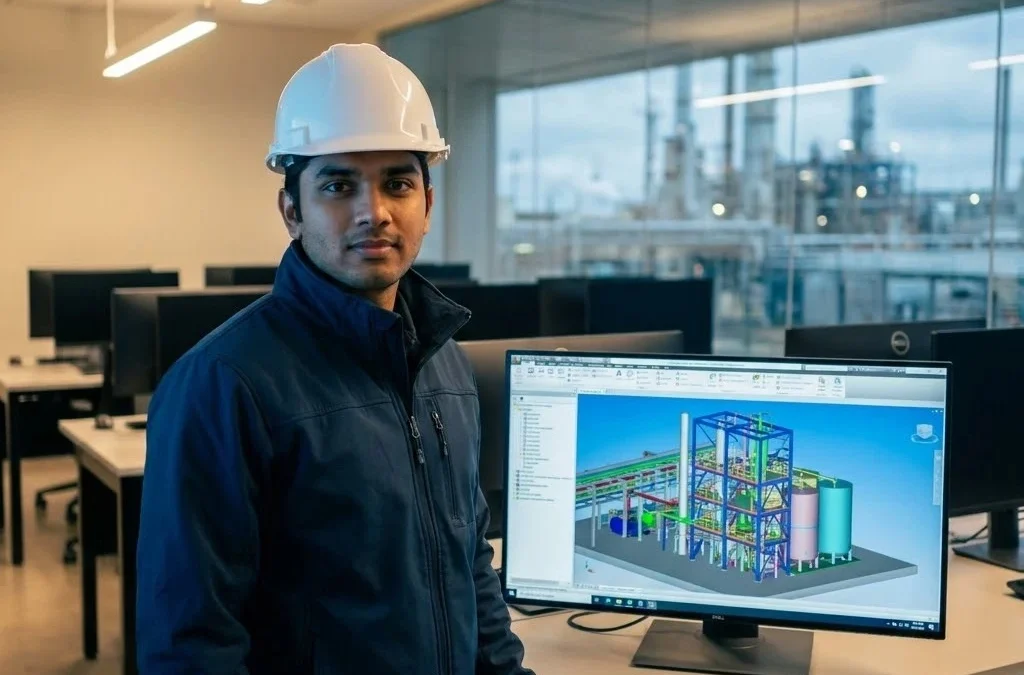
AVEVA E3D (Everything3D) is AVEVA’s next-generation 3D plant design platform. It is the direct successor to PDMS and handles the same core disciplines — piping, structural steel, equipment layout, HVAC, cable trays — but with a significantly modernised workflow.
E3D training teaches you to work inside this platform the way a real project team does: not just navigating menus, but understanding the database hierarchy that governs how every pipe run, structural member, and equipment item is stored and referenced.
Here is what E3D does that defines its value on a live project:
- Multi-discipline 3D modelling — piping, structural, and equipment all in the same shared model, updated in real time across disciplines
- Laser scan integration — particularly critical on brownfield projects, where existing plant conditions must be captured and referenced before any new design work begins
- Automated clash detection — identifying physical conflicts between pipe runs, structural members, and equipment before they become construction problems
- Isometric extraction — generating fabrication-ready isometric drawings directly from the 3D model, complete with BOM and weld references
- Cloud deployment — multi-location project teams can work on the same model simultaneously, which is now standard on large international EPC projects
The practical implication for engineers: if you can produce a pipe routing layout, extract an isometric, and run a clash check in E3D, you are ready for a working role on an EPC project. If you cannot, you are not — regardless of what your resume says.
Actionable takeaway: Search “piping designer” or “E3D modeller” on LinkedIn and filter by Mumbai, Pune, or India. Count how many postings list E3D or PDMS/E3D as a requirement. That tells you everything about the urgency of this skill.
What AVEVA E3D Training Courses Actually Cover
A well-structured set of AVEVA E3D training courses does not start with the software. It starts with why the software works the way it does — because E3D’s behaviour is governed by a database hierarchy that confuses engineers who try to learn it by clicking around without context.
The logical module sequence for E3D training looks like this:
Module 1 — E3D Fundamentals and Project Structure
Understanding the DABACON database hierarchy — WORLD, SITE, ZONE, PIPE, BRANCH — and why it matters for working efficiently. Project setup, catalogue navigation, and specification structure.
Module 2 — Pipe Routing in E3D
Creating pipe runs from equipment to equipment, applying piping specifications, placing components (elbows, tees, reducers, valves, flanges) per catalogue, and managing branch connections.
Module 3 — Equipment Modelling and Layout
Placing and positioning equipment items against a plot plan. Nozzle orientation, maintenance clearance, access requirements — the same decisions a plant layout engineer makes on a real project.
Module 4 — Structural Modelling
Steel sections, pipe racks, platforms, and supports in the 3D environment. Understanding how structural and piping disciplines interact in a shared model.
Module 5 — Clash Detection and Model Review
Setting up clash groups, running clash checks, interpreting results, and coordinating corrections across disciplines — the quality control step that happens on every real EPC project before any isometric is issued.
Module 6 — Isometric Extraction and MTO
Extracting piping isometrics from the 3D model, configuring drawing output, generating material take-offs, and reviewing isometrics against design intent.
Module 7 — Laser Scan Integration (Brownfield)
Introduction to point cloud data, importing laser scan references into E3D, and working around as-built conditions — critical for modification and expansion projects on existing plants.
By the end of a structured E3D training course, you can produce the same deliverables a junior designer would issue on a real EPC project. That is the bar the training should be measured against.
Who Should Join an E3D Course
Three distinct profiles get real value from an E3D course — and they come in for different reasons.
Working engineers currently on PDMS are the most urgent case. AVEVA has made clear that E3D is the direction. Legacy PDMS projects will continue, but new project awards are increasingly specifying E3D. An engineer who can work in both is significantly more deployable than one who knows only PDMS. The learning curve is real but manageable — especially for anyone who already understands PDMS’s database hierarchy.
Fresh graduates targeting EPC roles who have completed a piping engineering course or a piping diploma are the second group. E3D is the 3D platform that differentiates a candidate who has done AutoCAD 2D work from one who is ready for a 3D modelling role. At the junior designer level, E3D proficiency is now the differentiator on shortlists.
Piping designers moving from 2D to 3D represent the third group. If your current work involves AutoCAD-based pipe routing and you want to move into 3D plant design roles — either for salary reasons or because you can see where the industry is going — E3D is the platform to learn. It is more widely used across European and international EPC firms than SP3D, which matters if your career ambitions extend beyond the domestic market.
E3D vs SP3D — Which One Should You Learn?
This is the question almost every engineer asks before committing to a 3D plant design course. The honest answer is: it depends on which companies you are targeting.
| AVEVA E3D | Smart Plant 3D (SP3D) | |
| Developer | AVEVA | Hexagon (formerly Intergraph) |
| Primary market | European, Middle Eastern, international EPCs | US, Indian, and some Middle Eastern EPCs |
| Indian users | Technip Energies, Saipem, Worley India | L&T Hydrocarbon, Petrofac India, Jacobs |
| Database structure | DABACON (same as PDMS) | Separate SP3D catalogue and spec system |
| Brownfield capability | Strong — laser scan integration | Standard clash detection, no native point cloud |
| Career mobility | Strong for Gulf and European projects | Strong for Indian and US-aligned projects |
| Learning curve | Moderate (easier if PDMS background) | Moderate (steeper for pure beginners) |
If your target is Indian EPC companies like L&T or Petrofac India: SP3D is the stronger immediate choice. See our Smart Plant 3D training course for the full SP3D curriculum.
If your target is international EPC firms, Gulf projects, or European consultancies: E3D is the more strategic choice. It is also the right choice if you have a PDMS background and want to formalise your upgrade.
For senior designers: the industry data is clear — engineers fluent in both E3D and SP3D are the most deployable and command the strongest day rates on contract roles.
AVEVA E3D Training at ETI — What the Course Looks Like in Practice
ETI’s AVEVA E3D course runs on licensed AVEVA E3D workstations at the Thane centre. This is not a demo version — it is the same enterprise software used on live projects, which means the interface, catalogue structure, and output formats you work with in training are identical to what you will use in a real role.
What Makes the ETI Approach Different
Faculty teach E3D from project experience — not from a course manual. Sessions involve real, anonymised project scenarios: a brownfield pipe modification, a clash resolution between a new pipe run and existing structural steel, an isometric extraction package that gets reviewed against an industry QC checklist. The review habit you build in training is exactly what employers test for in interviews and on probation.
Placement Network
ETI’s placement referrals for E3D-trained engineers cover the Mumbai–Thane corridor and extend to Pune-based EPC consultancies and engineering firms. For engineers targeting Gulf or international contracts, ETI’s placement team can advise on CV positioning and the specific E3D deliverable portfolio that international recruiters look for.
For engineers who want to combine E3D with pipe stress analysis, the Caesar II course is available at the same centre and pairs naturally with E3D training for engineers targeting senior piping or stress roles.
Duration: Contact ETI for current batch schedule | Mode: Classroom + Licensed E3D Lab | Location: ETI Thane (accessible from Mumbai)
Learn AVEVA E3D on Licensed Workstations at ETI
If you are a working engineer looking to upgrade from PDMS, a fresh graduate targeting international EPC roles, or a piping designer ready to move from 2D into 3D — this is the course that positions you for where the industry is going.
- 📄 Download the brochure — full E3D curriculum, fee structure, batch schedule
- 💬 WhatsApp us — response within the hour
- 📞 Book a free demo class — attend one lab session before you decide
3. FREQUENTLY ASKED QUESTIONS
Q1: What is the difference between PDMS and AVEVA E3D?
PDMS (Plant Design Management System) is AVEVA’s original 3D plant design platform, widely used on projects since the 1980s. AVEVA E3D (Everything3D) is its direct successor — built on the same DABACON database structure, which means PDMS project data can be migrated to E3D without rebuilding models from scratch. E3D adds a modernised interface, laser scan integration, cloud deployment, and improved multi-discipline coordination. AVEVA is actively migrating all customers to E3D; new project awards increasingly specify E3D over PDMS.
Q2: Who is eligible for the AVEVA E3D training course at ETI?
The course is suitable for working engineers with a PDMS background who want to formalise their E3D skills, fresh graduates who have completed a piping or plant design diploma, and piping designers with AutoCAD 2D experience looking to move into 3D modelling roles. No prior E3D experience is assumed — the course builds the software skills from the project structure level upward.
Q3: How long does it take to complete an E3D course?
Duration varies by programme depth. Contact ETI directly for the current batch schedule and module breakdown. The course is designed to get you to a point where you can produce real project deliverables — pipe routing, isometric extraction, clash detection — rather than just navigate the software interface.
Q4: Should I learn AVEVA E3D or SP3D first?
It depends on your target employers. Indian EPC firms like L&T Hydrocarbon and Petrofac India predominantly use SP3D. European, Gulf, and international EPC firms — Technip Energies, Saipem, Worley — predominantly use E3D. If you are targeting domestic Indian roles initially, start with SP3D training. If your goal is international EPC work or you have a PDMS background, start with E3D. Senior designers benefit from proficiency in both.
Q5: Does the ETI E3D course cover brownfield and laser scan projects?
Yes. The curriculum includes an introduction to point cloud data and laser scan integration — the workflow used on brownfield modification and expansion projects where existing plant conditions must be referenced before new design work begins. This is a differentiating module that most short online courses do not include.